How can I manage or cancel my subscription?
Find your current plan, upgrade, or manage renewal from your Viora billing settings.

Written by Nexmoe
Updated
You can view your plan and manage your subscription from Viora billing settings. Sign in with the account you used at checkout.
Check your current plan
Open Settings → Billing on the Viora website. The page shows your current plan and, when you have a subscription, its status and billing period. If you are on a trial, it also shows the trial end date.
Visit Viora pricing to compare the available plans and current prices. Review the amount and billing interval at checkout before confirming a purchase.
Open billing from the desktop app
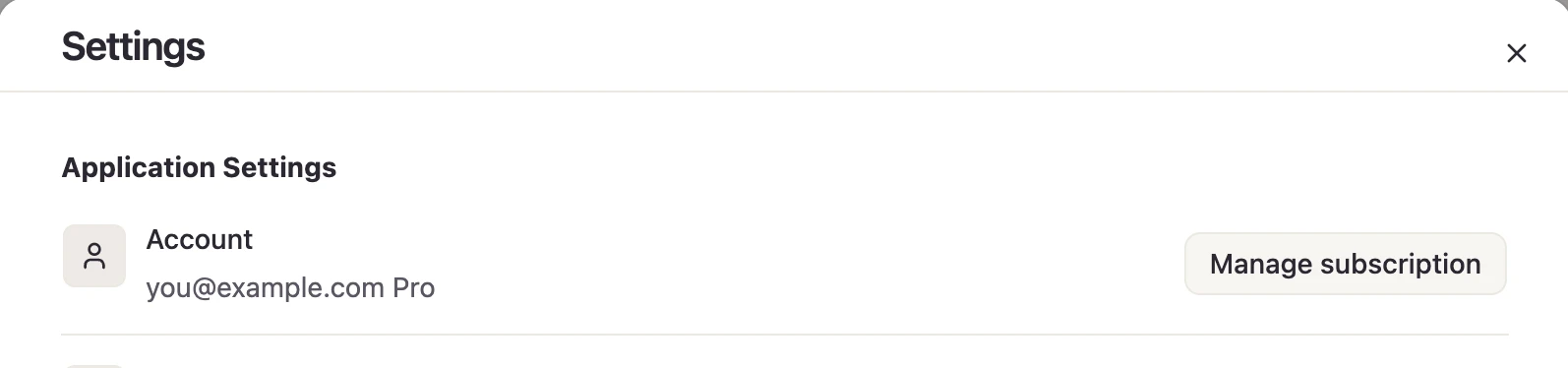
Open Viora Settings and find the Account row. For a paid plan, select Manage subscription to open billing in your browser. A Free account shows Upgrade to Pro instead. Check that the browser is signed in to the same account.
Upgrade from Free
- Open Settings → Billing.
- Select Upgrade Plan to open the pricing page.
- Choose a plan and complete checkout in your browser.
- If you started from the desktop app, use Return to Viora on the payment success page to refresh your plan in the app.
Manage or cancel a paid subscription
- Open Settings → Billing with the account that owns the subscription.
- Select Manage Subscription and Billing to open the billing portal.
- Follow the portal’s cancellation steps and complete the confirmation.
- Review the effective end date shown in the portal.
Under the Viora Terms of Service, cancellation normally takes effect at the end of the current billing period, unless stated otherwise at checkout. Use the effective date shown during cancellation to confirm when your access ends. Closing or uninstalling the desktop app does not cancel a subscription.
The billing portal is also the place to review the payment and invoice options available for your account. If the change you need is unavailable, contact Viora support.
Cannot find your subscription?
Check that the signed-in email matches the account used for the purchase. If you have just paid, follow My payment succeeded, but my plan has not updated.
For billing support, include your account email, purchase date, and receipt or invoice reference. Never send your full card number or security code.